
Color analysis test
AI Color Analysis Test
Take a photo-based colour analysis test: upload a front-facing daylight portrait and review your likely season, flattering colours and everyday neutrals. No questionnaire is required.
Natural light photos improve result accuracy.
Your photo is used for this result, not shown publicly.
Low-quality or heavily filtered photos can reduce confidence.
How does a photo colour analysis test work?
A photo colour analysis test uses the visible relationship between your complexion, hair, eyes and contrast to suggest colours to compare. Take a front-facing portrait in soft indirect daylight with little or no makeup and no strong filter. Avoid coloured light or bright clothing reflecting onto your face. Upload the photo, choose your preferences and review the generated styling preview. A camera changes colour, so the result is an estimate to compare with real fabrics rather than a measurement of your undertone. This tool offers a free watermarked preview followed by an optional paid clean export. Its examples can help with clothing and makeup decisions, but should not replace an in-person assessment when you need precise matching.
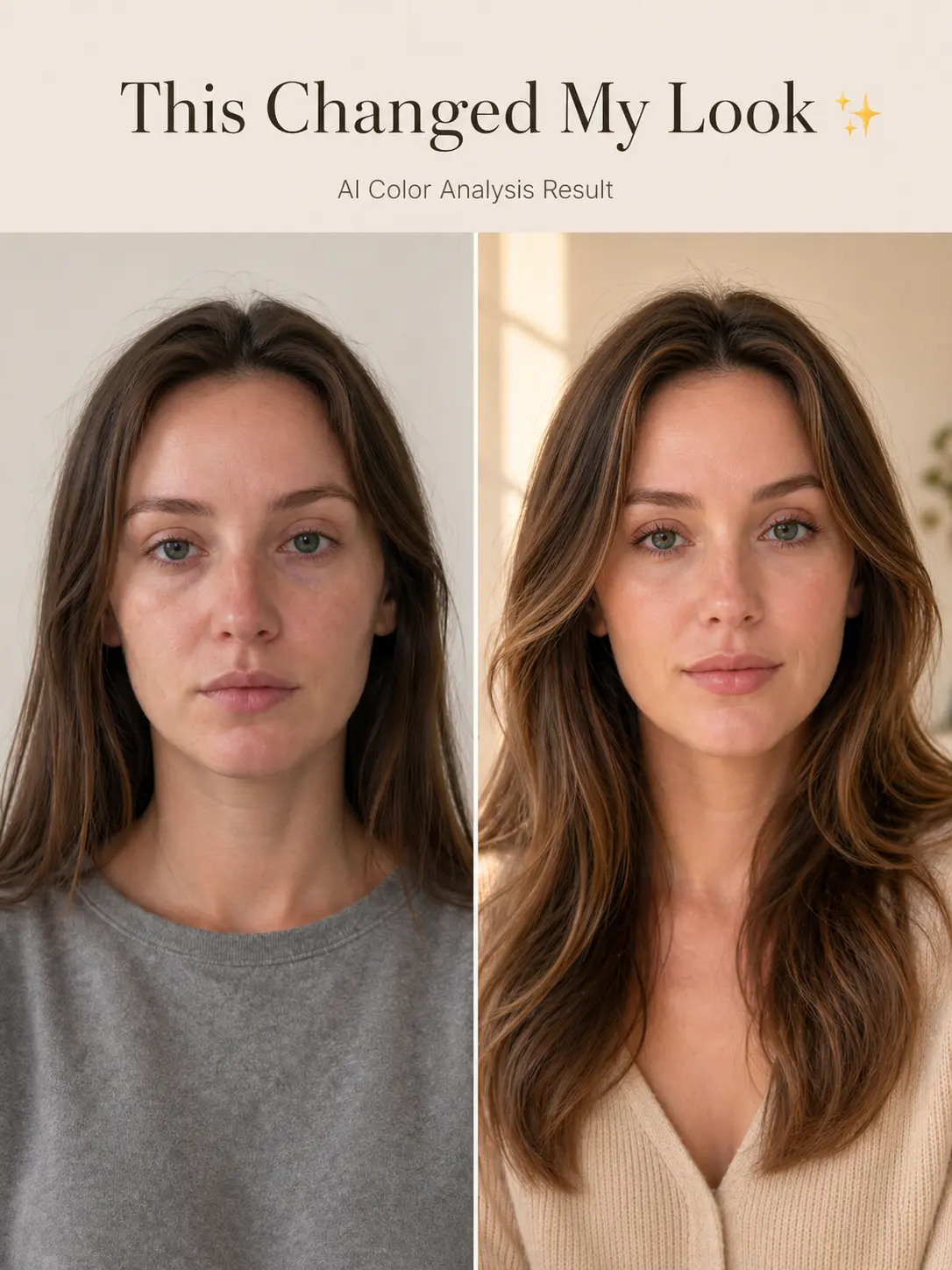
Before / After example
See the kind of visual change your report is built to explain
A useful color analysis should make the difference easy to see: which colors add freshness, which ones feel neutral, and which shades can make the face look dull or harsh.
Color direction
Best, neutral, and avoid colors in one visual result.
Style context
Hair and makeup notes are matched to the same uploaded face.
Preview first
Users can review a free preview before choosing HD.
Common use cases
Why people check their colors first
Use the report as a practical guide before you change your closet, makeup, or hairstyle.
Shopping decisions
Use the palette to narrow down clothing colors before buying.
Makeup matching
Check whether warm, soft, or brighter tones fit the face better.
Glow-up planning
Compare color, hair, and makeup direction before changing a look.